

Evaluate connected accounts, transaction categorization, budgets, bills, subscriptions, and goals together.
Personal Finance Apps: Compare Features and Everyday Fit
Compare personal finance apps by how well they bring accounts, spending, budgets, recurring costs, and shared money into one understandable routine.
No credit card for the website check. Secure bank connection through Plaid is used in the app when you want automatic transaction insights.
Why People Choose Vala
Compare Android, iOS, web access, collaboration, and pricing approach.
Prefer clear data freshness and manual-entry options when account data is incomplete.
Choose for everyday fit instead of assuming one app is best for everyone.
Who This Helps Most
People replacing separate budget, bill, and expense-tracking tools.
Users who want connected-account convenience with a usable manual fallback.
Partners comparing individual money management with shared-expense support.
What a personal finance app should bring together
A personal finance app should make income, cash accounts, spending, upcoming obligations, and goals easier to understand without blending unlike numbers. Credit card limits and loan balances are obligations or borrowing capacity, not available cash.
The best fit depends on whether you primarily need detailed budgeting, broad account aggregation, recurring-cost review, or a simpler next-action workflow. Decide which answer you need most often before comparing feature lists.
Budgeting and expense tracking
Useful budgeting tools make it easy to create categories, compare planned and actual spending, and adjust before the month ends. Expense tracking should support understandable categories and corrections instead of treating automation as infallible.
Vala combines automatic or manual budgeting with spending analysis, recurring-cost visibility, and action-oriented coaching. It is designed to move from a signal to a decision, while deeper methodology-first tools may suit users who enjoy maintaining a highly structured plan.
Connected accounts, missing data, and freshness
Account aggregation can create a faster snapshot, but every app depends on supported institutions and refresh behavior. Look for last-updated indicators, reconnect controls, duplicate handling, and an honest partial state when data is stale or missing.
A manual path matters even in an automated app. It keeps the product useful when a bank is unsupported, a transaction has not arrived, or a user prefers not to connect an account.
Shared finances and recurring responsibilities
Couples and households often need a mix of personal visibility and shared accountability. Compare whether an app offers household collaboration, split-expense tracking, shared goals, or only a single-user dashboard.
Also check how subscriptions and bills are handled. Detection is only the first step; due dates, evidence, and clear ownership make recurring expenses easier to act on.
Install Vala and Start Today
Return to the Vala homepage for full product details, or jump directly to the download section.
Latest Budgeting Guides
New practical money-management articles you can apply right away.
Student Loan Budgeting: How to Fit Repayment Into Your Month
Learn student loan budgeting step by step: build a monthly plan, use the 50/30/20 rule, choose which loan to pay first, and know what...
Read GuideHow to Merge Finances After Marriage: A Practical Plan
Merge finances after marriage without the stress. Compare joint, separate and hybrid setups, split bills fairly, and follow a step-by-step plan for newlyweds.
Read GuideBank Fee Refunds: Which Fees You Can Get Back and How
Learn which bank fees you can ask to have refunded, what to say, what to do if the bank says no, and how to...
Read GuideBenefits of AI Budgeting with Vala
Faster category decisions
AI insights highlight where to adjust spending before month-end pressure builds.
Stronger savings consistency
Keep savings goals and progress visible while you adjust spending decisions.
Clear shared-money workflows
Split bills and track household expenses with practical visibility and reminder support.
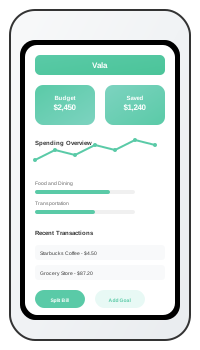
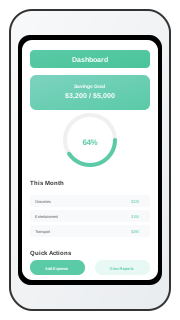
Vala App Screenshots
Personal Finance App Comparison
| App | Best fit | Accounts and spending | Shared money | Pricing approach |
|---|---|---|---|---|
| Vala | Action-led budgeting, money leaks, and a 90-day outlook | Optional Plaid connection or manual planning; categories, bills, and recurring costs | Split-expense workflows | Free website tools; in-app trial and SaverPro subscription |
| YNAB | A structured, plan-every-dollar budgeting method | Direct import plus detailed categories and targets | Shared subscription access through YNAB Together | Trial followed by a paid subscription |
| Monarch Money | Broad household dashboard and planning | Multi-account aggregation, categorization, budgets, and reporting | Household collaboration | Trial followed by a paid subscription |
| Rocket Money | Subscription visibility and bill-focused workflows | Connected accounts, spending categories, budgets, and recurring charges | Not primarily positioned around shared expense splitting | Free features with optional Premium |
FAQs for This Topic
Prioritize the job you need most, then compare account coverage, categorization controls, budgeting, recurring costs, data freshness, platform support, and current pricing.
They can be when manual planning and transaction entry are supported. Automation saves time, but a manual fallback improves reliability and user choice.
There is no universal winner. Method-focused budgeters, broad household planners, subscription reviewers, and users seeking a clear next action may prefer different products.