
Most budgets don’t fail because of bad math. They fail because life changes every month and the budget doesn’t. Understanding what is a monthly budget reset gives you a simple fix for this exact problem. It’s a short, structured routine where you review your income, spending, and goals before a new month begins, then adjust your plan to match reality. This article breaks down how it works, why it matters, and how to build a reset habit that actually sticks.
Table of Contents
- Key takeaways
- What a monthly budget reset actually is
- Why resets prevent financial drift
- How to do an effective monthly budget reset
- Common misconceptions about budget resets
- Tools that make resets easier
- My honest take on monthly budget resets
- Start your next reset with the right tools
- FAQ
Key takeaways
| Point | Details |
|---|---|
| A reset refreshes your plan | A monthly budget reset rebuilds your spending limits to match your current income and goals. |
| It takes under 30 minutes | A structured 30-minute routine is enough to rebalance your budget each month. |
| It differs from tracking | Tracking records what happened; a reset plans what comes next based on updated data. |
| Life events trigger extra resets | Job changes, moves, or new expenses require an immediate reset outside your monthly schedule. |
| Automation strengthens the habit | Automating savings transfers during each reset reduces decision fatigue and builds momentum. |
What a monthly budget reset actually is
The phrase “monthly budget reset” is a practical, widely used term for what financial planners more formally call a budget reconciliation and reallocation cycle. Both describe the same thing: a recurring review where you look at what changed last month, then assign your money for the month ahead.
A monthly budget reset is not a one-time fix. It’s a recurring process. Each month, you review your income, your fixed and variable expenses, and your financial goals, then rebalance your spending limits before the new month starts. Think of it as giving your budget a clean slate every 30 days.
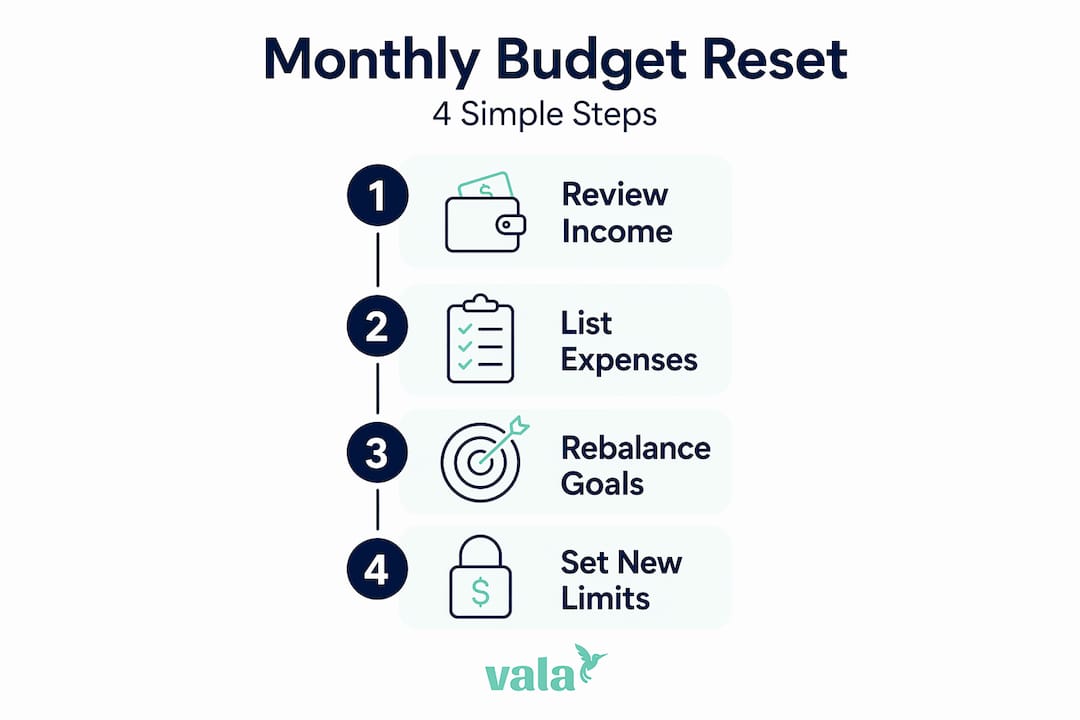
Here’s what a typical reset covers:
- Income confirmation: Verify your expected take-home pay, side income, or any irregular deposits for the month ahead.
- Fixed expense audit: Check bills, subscriptions, loan payments, and rent to catch any changes in amounts.
- Variable expense review: Look at what you actually spent on groceries, dining, entertainment, and other flexible categories last month.
- Goal alignment: Confirm your savings targets, debt payoff amounts, and any planned large purchases still fit your plan.
- Category rebalancing: Adjust spending limits up or down based on what you learned.
The setup takes 30 to 90 minutes the first time. After that, most people complete their monthly reset in 15 to 30 minutes. That’s a small investment for the clarity it provides.
A budget reset is also closely aligned with zero-based budgeting, a method where every dollar of income gets assigned a purpose. The reset is essentially when you do that assignment, fresh, each month.
Pro Tip: Schedule your reset on the last weekend of the month. You’ll have a full picture of the current month’s spending and still have time to plan before new bills land.
Why resets prevent financial drift
Most people track spending. Fewer people reset. That gap is exactly where financial drift happens.
Tracking tells you what already happened. A reset tells you what to do next. Monthly resets provide feedback loops that transform a budget from a static document into a living plan that adapts to your actual life.

The benefits go beyond just staying organized.
You catch overspending before it compounds. If you spent $200 over your grocery budget last month, a reset surfaces that immediately. You can investigate why and decide whether to tighten the category, adjust your meal planning, or shift money from somewhere else.
You adapt to real income shifts. Freelancers, hourly workers, and anyone with variable income know that last month’s paycheck rarely matches this month’s. A reset lets you plan based on actual expected income, not an outdated assumption.
“The monthly reset is the zoom-out moment that complements weekly tracking. It builds calm confidence over your finances instead of constant anxiety.” — via With Grace and Wit
You redirect freed money faster. Paid off a credit card? Your reset is when you decide exactly where that freed cash goes next, toward an emergency fund, a vacation, or a retirement contribution. Without a reset, that money often disappears into vague “extra” spending.
You reduce financial anxiety. When you know your plan for the month, small surprises feel manageable. When you’re operating on an outdated budget, every unexpected expense feels like a crisis. A reset builds calm confidence because you’re always working from a current, realistic plan.
How to do an effective monthly budget reset
You don’t need a finance degree. You need a consistent process. Here’s a practical sequence that works:
- Gather your numbers. Pull bank statements, credit card transactions, and pay stubs from the past month. Most banking apps let you export this data in minutes.
- Confirm your income. Write down every source of expected income for the next month. If your income varies, use a conservative estimate based on recent averages.
- List your fixed expenses. Update actual bill amounts as they come in. Subscriptions increase, utility bills shift with seasons, insurance premiums change. Record the real number, not last year’s.
- Review your variable spending. Look at categories like groceries, gas, dining out, and personal care. Note where you went over and where you underspent.
- Prioritize goals first. Before allocating money to discretionary spending, assign amounts to savings, emergency fund contributions, and debt payments. A goal-first allocation ensures priorities get funded before optional expenses.
- Set a buffer. Build a small buffer of $50 to $150 for genuinely unexpected costs. This prevents one surprise from breaking the whole plan.
- Automate what you can. Automating savings transfers right after payday removes the temptation to spend that money first.
- Schedule a mid-month check-in. A 10-minute review halfway through the month lets you course-correct before small overages become big ones.
Here’s a quick comparison to clarify where resets fit alongside other budgeting habits:
| Activity | Frequency | Purpose |
|---|---|---|
| Expense tracking | Daily or weekly | Record what you spent |
| Budget review | Weekly | Spot short-term trends |
| Monthly budget reset | Monthly | Rebuild the plan for the next month |
| Unscheduled reset | After major life events | Realign budget with new reality |
Pro Tip: Integrate seasonality into your reset. December has holiday spending. August has back-to-school costs. Build those into the plan proactively rather than reacting after the fact.
Common misconceptions about budget resets
A lot of people avoid resets because they have the wrong idea about what they involve. Here are the most common misconceptions.
- A reset is not a punishment. You’re not reviewing last month to judge yourself. You’re using data to plan better. The mindset shift from “what did I do wrong” to “what does next month need” makes the whole process feel productive instead of stressful.
- A reset is not the same as a monthly review. A review checks in on an existing plan. A reset rebuilds the plan when the existing framework no longer fits your reality. Both are useful. They serve different purposes.
- Tracking is not the same as resetting. You can track every single transaction perfectly and still overspend if your category limits haven’t been updated in six months.
- You don’t need to wait until month end. Major life changes like a new job, a move, a raise, or a new baby warrant an immediate reset regardless of where you are in the month. Waiting until your “scheduled” reset date while operating on an outdated budget is how small problems become big ones.
- Resets work with any budgeting method. Whether you use the 50/30/20 rule, the envelope method, zero-based budgeting, or a custom approach, a monthly reset fits in. It’s the mechanism that keeps any method accurate and current.
Tools that make resets easier
You don’t need to do resets manually with a spreadsheet. The right tools cut the time and guesswork significantly.
- Budget planners and printable templates give you a structured format to work through each reset step by step. A monthly budget planner helps you stay consistent without reinventing your process each month.
- Expense tracking apps that automatically import transactions save you from digging through statements manually. Look at top-rated expense tracking apps that categorize spending automatically so your data is ready when reset time comes.
- Budget goal trackers show your progress toward savings targets, debt payoff, and other financial goals in real time. This makes the goal-alignment step of your reset much faster.
- Subscription detection tools flag recurring charges you may have forgotten about. This is one of the most common surprises during a reset and one of the easiest to address once you see it clearly.
- AI-powered financial apps analyze your spending patterns across months and flag unusual trends, helping you track expenses automatically without manual data entry.
The best tools reduce friction. When your reset takes 15 minutes instead of 90, you’re far more likely to do it consistently.
My honest take on monthly budget resets
I’ve seen a lot of people try to build budgets that work. The ones who succeed long-term almost always share one habit: they reset every month without fail. The ones who struggle tend to set a budget once and then wonder why it stops working.
Here’s what I’ve learned from watching people manage money closely. The reset isn’t where you audit every transaction. It’s where you update your forecasts. There’s a real difference. Trying to review every line item leads to burnout fast. Focusing on income, fixed bills, variable trends, and goals takes 20 minutes and actually sticks.
I also think seasonality gets overlooked far too often. Integrating bill timing and seasonal spending into each reset is what separates people who feel in control from those who constantly face “surprise” expenses. Nothing about a holiday or a quarterly insurance bill should surprise you by November if you reset in October.
My strongest advice: don’t chase a perfect budget. Chase a current one. A reset that reflects your real life this month beats a theoretically perfect budget from three months ago. Tailor your reset to how you actually think about money, not to how a spreadsheet template says you should.
— SaverStride
Start your next reset with the right tools
If you’re ready to make your monthly reset a consistent habit, having the right tools in place makes all the difference. Valapoint’s suite of personal finance tools is built exactly for this kind of regular, practical money management.

With Valapoint, you can track spending by category, monitor your savings goals, and get AI-powered insights that surface spending patterns you might miss on your own. The budget tracking app lets you see where your money went at a glance, so your reset starts with clean, organized data instead of manual digging. Pair that with the personal finance tools hub for budgeting calculators, goal trackers, and subscription managers that keep every reset fast and focused. Your next monthly reset can take 15 minutes. Valapoint helps you get there.
FAQ
What is a monthly budget reset?
A monthly budget reset is a recurring financial routine where you review your income, expenses, and goals, then rebalance your spending limits before the next month begins. It typically takes 15 to 30 minutes once you’ve established the habit.
How is a budget reset different from budget tracking?
Tracking records what you have already spent. A reset uses that data to rebuild and adjust your spending plan for the month ahead. Both work together, but they serve different purposes.
How often should you do a budget reset?
Most people benefit from resetting once per month, ideally in the final few days of the current month. An additional unscheduled reset is recommended after major life changes like a job switch, a move, or a significant income shift.
Do you need special software to reset your budget?
No, you can reset a budget with a notebook or a simple spreadsheet. That said, expense tracking apps and budget planners significantly reduce the time involved and help you catch patterns you might miss manually.
Does a monthly budget reset work with any budgeting method?
Yes. Whether you follow the 50/30/20 rule, zero-based budgeting, or the envelope method, a monthly reset keeps your chosen system accurate and aligned with your current financial reality.